5 Minute Games for Virtual Meetings (Plus 10 and 15 Minute Ideas)
 Tom Fitzgerald
March 2, 2026

If you’re looking for some amazing examples of 5 Minute Games for Virtual Meetings you’re in the right place! There are twelve of them below, plus longer options if you have 10 or 15 minutes to work with.
But first…
Do you find yourself struggling to keep your virtual meetings engaging?
Are people starting to lose focus and tune out?

Don’t worry, it happens to the best of us.
But real talk – it might be time to add in some 5 minute games into them.
These games can help break up the monotony of a long meeting and keep everyone on their toes.
In this blog post, we will discuss 12 different games and virtual team building activities that you can use in your next virtual meeting, plus some longer options.
In this guide
- Why do virtual meetings feel so draining?
- Why play 5 Minute Games in Virtual Meetings?
- Tips on making your 5 minute games successful
- What are some ideas for 5 minute virtual team building activities?
- Quick icebreaker games for virtual meetings
- 10 minute games for virtual meetings
- 15 minute games for virtual meetings
- Trivia games for virtual meetings
- Games that work especially well on Zoom
- Download the games list
- How can I measure whether my virtual team-building activity was successful?
- What are virtual activities?
- How do I make my 5 minute games fun?
- 5 Minute Games for Virtual Events Conclusion
- Book a Virtual Event With Us
Why do virtual meetings feel so draining?
Virtual meetings are not worse than in-person meetings because of the technology. They are worse because of what the technology removes.
In a room, you read the whole group at once. You catch someone shifting in their seat, or two people exchanging a look, and you adjust without thinking about it. On a video call, all of that disappears. You get a grid of faces at the same size, all looking slightly past you, and your brain works overtime trying to reconstruct the signals it normally gets for free.
Then there is the mirror problem. You can see yourself. Nobody in the history of meetings has been improved by watching their own face for an hour.
The result is a specific kind of tiredness. Not the tiredness of hard work, but the tiredness of low-grade effort with no payoff. People compensate by multitasking, which makes the meeting worse, which makes them multitask more.
A short game interrupts that loop. It gives everyone the same thing to look at, a reason to unmute, and a moment where the conversation is not about status updates. Five minutes is usually enough.
Why play 5 Minute Games in Virtual Meetings?
Let’s dig into why remote teams need games to punctuate their virtual meetings.
They break up the monotony of a long meeting and combat Zoom fatigue
With more and more people working from home, it’s important to acknowledge that focus and attention is now a commodity. In fact, the average attention span is now a modest 8.5 seconds!
To keep remote teams on their toes
When a remote team knows that a meeting will be punctuated with virtual games, they’re much less likely to stray away from their keyboards.
Sorry mittens, daddy isn’t going to play with you for the next hour!

They promote fun in the workplace
Fun in the workplace should be one of your primary goals in building happy virtual teams.
Extended virtual team building activities are great for this.
But when you only have a few minutes, virtual games are a great way to add to company culture.
To bond your team
It doesn’t matter if you have large or small teams, it’s important to focus on team bonding.
Bonding with your employees can help build trust, improve communication, and promote collaboration.
They’re great for developing employee soft skills
If done right, 5-minute games can have many positive outcomes for team building, but also develop individual skills for each team member.
These can include:
- Creativity
- Problem solving
- Patience
- Camaraderie
- Engagement
They make great mini virtual team building activities
Virtual team building is hard enough with the barriers that exist running a remote team.
While we’d all love to run full-length team building activities such as coffee tastings or lock picking, often time and budget doesn’t allow for these.
Quick team building games like these can bring the whole team together during mandatory virtual meetings.
Tips on making your 5 minute games successful

(OK we mean successful, not awkward, as the above photo clearly implies!)
Create a regular schedule and give it time
If you want to make 5 minute games a regular occurrence in your virtual meetings, it’s important to create a schedule and stick to it. This way, employees will know when to expect them and can be prepared with their game faces on.
Keep the 5 minute games simple.
You don’t have to go all out with games that require a lot of coordination or equipment. Start with simple icebreakers or individual challenges and then work your way up to more complex virtual games.
Mix them up. Try not to repeat too often
If you’re going to make 5 minute games a regular thing, make sure to mix them up so employees don’t get bored. Try different games and activities each time to keep things fresh.
Include everyone.
The goal is to get everyone involved and playing the games, so make sure you choose ones that will allow for that. No one likes feeling left out, so try to avoid games that require teams or pairs.
Leave your ego at the door and accept that you’re going to have to potentially poke fun at yourself
Remember, the goal is to have fun and build relationships, not to show everyone how smart or coordinated you are. So leave your ego at the door and be prepared to have some fun at your own expense.
Enjoy the process.
At the end of the day, these games are meant to be fun so try not to take them too seriously. If you’re not enjoying yourself, chances are your employees won’t be either.
What are some ideas for 5 minute virtual team building activities?
We’ve included a banner for each of these events. Feel free to use it when you host your events¹!
1. Quizbreaker

This is a fun and interactive team building activity, with an unlimited amount of ways to customize it.
Instructions
- Set up a free trial account of QuizBreaker and invite your team to join it.
- Customize a list of icebreaker questions
- Send the list to your entire team, who will be able to answer them live in your next team meeting.
Benefits
- Extremely customizable
- It can be as long or short as you like
- You can include in-jokes and compliments for individuals
- The questions can be changed and the platform reused again and again
- Very cheap.
- Great to highlight very remote team members
Difficulty
- Medium, as you’ll need to brainstorm questions before starting.
2. Virtual Coffee Break

A virtual coffee break is a 5-10 minute break that employees can take during a virtual meeting to help them stay focused and energized.
Instructions
- Order coffee for each of your attendees using a delivery service like Uber Eats.
- Enjoy your drinks together chatting as you would if you were in a coffee shop.
Benefits
- It’s a great informal way of team building, as long as you keep it about anything but work.
- Remote teams often don’t have the ability to meet in the same physical space, so this captures some of that magic.
Difficulty
Surprisingly hard: Delivering coffee is time consuming and getting it to arrive at the same time is stressful.
An alternative is to hire a live host who will send your attendees a coffee kit. Then you can all nerd out about the flavours in a virtual session together.
Click here for more information about hosted coffee breaks.
3. Two Truths and a Lie

This is a classic team building activity that can easily be played virtually.
Instructions
- Each person takes turns sharing three facts about themselves – two truths and one lie.
- The rest of the group then has to guess which statement is the lie.
- This game is great for getting to know your team members better and for some good laughs!
- The two truths can be as elaborate as you like.
Benefits
- These types of virtual team building activities are great for loosening up tense groups.
- Often hilariously funny.
- Everyone gets to participate equally.
- Minimal effort to set up.
Difficulty
Easy
4. Would You Rather?

This is one of the classic team building games that has existed for longer than ‘virtual’ was even a word!
Instructions
- Ask the group a “would you rather…” question
- Let everyone share their answer.
- For example, you could ask “would you rather take a vacation to the beach or the mountains?” You can make the questions as lighthearted or hilarious as you want!
- Be sure to watch that everyone gets an opportunity to contribute
Benefits
- Puts communication skills to the test
- Great for small groups
- A great way to get to know new team members
Difficulty
Medium. Your skills as an organizer of this team building activity will be put to the test by those in the team that need encouragement to contribute.
5. Team Props

The ultimate 5 minute game to make your team catch a case of the warm and fuzzies!
Instructions
- This game is simple – it’s 5 minutes for team members to recognize each other’s amazing skills, traits and personalities aka giving them ‘props’.
- Each team member gets the opportunity to highlight why another team member is awesome.
- They verbalize it in a virtual session, or if you want to make it anonymous you can collect the props beforehand and read them out.
- OR use a platform like Kudos and spend 5 minutes sending recognition to team members.
Benefits
- Great for team morale.
- Encourages team bonding.
- If using Kudos, your employees can also redeem points for rewards.
Difficulty
Medium. You’ll need to spend some time setting up Kudos beforehand.
6. Who is That Baby?

A hilarious way to engage your entire team with minimal effort and zero cost.
Instructions
- 48 hours in advance of the meeting, ask each team member to send you a photo of them as a baby/small child.
- The group then discusses which team member is in each photo.
- To make this game more elaborate you can assign points to anyone that guesses correctly and remove points from anyone that guesses incorrectly. The most points wins.
Benefits
- Encourages the entire team to contribute.
- Some people go all out with their baby photos, making this a great team bonding experience.
Difficulty
Medium – Hard. Let’s face it, you’re going to be great at this but your other team members might need some chasing up. This is why we suggest getting started 48 hours before the meeting/event.
7. Once Upon a Time

About as hilarious as team building activities get. Each virtual team member gets to play in this rapid quick fire game. After a few rounds, you’ll find your team’s morale has shot up.
Instructions
- You start each round with the phrase “Once upon a time…”
- The host then chooses who to start the story.
- Whoever is chosen has to start a story with one sentence only.
- They then pass the story to someone else.
- This person continues the story. One sentence only.
- This is passed to each person in the team until the final person.
- At this point, the story has to reach a conclusion.
Benefits
- Great for developing creativity and for team building.
- Communication skills are put to the test for each of your team members.
- Great to bring new team members out of their shells.
Difficulty
Easy. Don’t be afraid to be the first person to start the story, to get things going
8. Last Word Stories

Similar to “Once Upon a Time”, only you use the last word of the previous sentence.
Instructions
- As the organizer, you ask an attendee a question. For example, where did you go on vacation this year?
- Whoever is chosen has to answer the question. For example, “I went to Mexico and the weather was hot”.
- They then pass to someone else.
- This person creates a story using the last word of the previous person’s sentence. For example, “Hot stuff, coming through, said the manager of the deli as he carried a bowl of soup”
- This is passed to each person in the team until the final person.
- At this point, the story has to reach a conclusion.
Benefits
- Great for developing listening skills. This is because the players will need to listen to each other’s answers.
- Rapidly brings new team members out of their shells.
Difficulty
Easy.
9. Believe It or Not

We took inspiration from the UK TV show 8 out of 10 cats for this one! Hey, if a bunch of celebrities can pull this off, surely we can too!
Instructions
- As the organizer, you will need to come up with a statistic.
- This can be true or false.
- Your remote team must discuss among themselves to decide if the statistic is true or false.
- It’s recommended that you make your stats as believable as possible.
- OR, you find true stats that are unbelievable!
Benefits
- Discussion encourages team building.
- It’s often hilarious.
- Teams grow their collaboration skills, as they discuss as a group.
Difficulty
Easy! You just need to come up with some stats.
10. Fun Fact Guessing Game

This is a fun way for new team leaders to get to know team members. But it’s also one of the best quick team building activities to bond remote workers.
Instructions
- Reach out 48hrs in advance and ask each attendee for one fun fact about themselves.
- Read the fact out to the group.
- Then the group discusses who that fact is most likely to apply to.
- The use of a virtual whiteboard can make this more interactive (you’ll need to run that part).
Benefits
- As far as simple team building activities go, this is one of the most effective at building trust with each other.
- It’s a great way to fast track team bonding, as people get to know each other better.
- Everyone loves to talk about themselves!
Difficulty
Easy.
11. Mystery Amazon Delivery

This one requires a bit of a budget and even more planning, but the payoff is incredible. Plus who doesn’t love free stuff!
Instructions
- Assign someone in your team as a gift giver.
- Decide a budget per person (For example $10)
- Send an amazon gift card to the gift giver with enough money to buy everyone on your team a gift within that budget.
- The gift giver must order something from Amazon for each person on your team.
- In your meeting, everyone must open the mystery box at the same time.
Benefits
- The gift giver is empowered with an important task.
- The air of mystery is a fun way for remote teams to feel together.
- It’s true to the 5 minute team building idea, as it can be done quickly.
- Team members get to know the gift giver in a more personal way.
Difficulty
Hard. It requires time and a budget.
12. Word Association

This team building game is simple and quick but it always gets a few laughs.
Instructions
- One person starts by saying a word.
- The next person then has to say a word in response that is associated with the first word.
- For example, if the first person says “summer,” the second person might say “vacation.”
- This game can be played with as many people as you want and you can make the associations as creative as you want!
Benefits
- Encourages quick thinking.
- Keeps attendees on their toes.
Difficulty
Very Easy
Quick icebreaker games for virtual meetings
Icebreakers get a bad reputation, usually because they are sprung on people with no warning and no exit. These four are short, low pressure, and nobody has to perform.
One Word Check In
Go around the group and ask everyone for one word describing how their week is going. One word only. No explanation unless they want to give one.
It takes about ninety seconds for a team of ten and it tells you more about the room than a round of “how is everyone doing” ever will. If three people say “swamped,” you know to keep the meeting short.
Difficulty: Very easy. No preparation.
Rose, Thorn, Bud
Each person shares a rose (something going well), a thorn (something frustrating), and a bud (something they are looking forward to).
It works because the structure gives people permission to mention the thorn. In an unstructured check in, most people default to saying everything is fine.
Difficulty: Easy. Works best with under twelve people, otherwise it runs long.
This or That
Rapid fire either/or questions to the whole group. Coffee or tea. Beach or mountains. Cats or dogs. Everyone answers in the chat at the same time, or by holding up fingers.
The speed is the point. Nobody has time to overthink it, and the chat fills up with people arguing about pineapple on pizza, which is exactly what you want.
Difficulty: Very easy. Write ten questions beforehand.
Weather Report
Ask everyone to describe their current state as a weather forecast. “Partly cloudy with a chance of caffeine.” “Category four hurricane, do not approach.”
It is a gentler way of asking how someone is actually doing, and the metaphor gives people cover to be honest.
Difficulty: Very easy.
10 minute games for virtual meetings
With ten minutes you can run something with a bit more structure. These need slightly more setup but they carry a longer meeting better than a five minute filler.
Virtual Scavenger Hunt

Call out an item and everyone races to find it in their house and hold it up to the camera. Something blue. Something older than you. Something you regret buying.
Run five or six rounds. The last category is where it gets good, because everyone comes back with something ridiculous and wants to explain it.
Benefits: Gets people physically away from their chair, which is half the value. Works at any group size.
Difficulty: Very easy. Write your categories in advance.
Guess the Home Office

Everyone sends you a photo of their desk beforehand. During the meeting you show each photo and the group guesses whose it is.
People are far more attached to their setups than they let on, and the reveals usually turn into a five minute conversation about someone’s monitor arm.
Benefits: Great for teams who have never met in person.
Difficulty: Medium. You need to collect photos 48 hours ahead and chase the stragglers.
Emoji Story
Engage participants with emoji-based storytelling during virtual meetings for fun and interaction.
Post a short sequence of emoji in the chat and let the group work out what film, book, or company project it describes.
Yes, it is a bit silly. That is the entire mechanism.
Benefits: Everyone can participate from the chat, which suits people who do not want to speak up.
Difficulty: Easy. Ten minutes of prep to build the sequences.
Speed Rounds

Pair people off for ninety seconds each, then rotate. Give them a prompt so they are not staring at each other in silence. Best thing you ate this week. Worst job you ever had.
Benefits: The only game here that reliably creates one to one connections rather than group ones.
Difficulty: Medium. Needs a bit of coordination to rotate people.
15 minute games for virtual meetings
Fifteen minutes is enough for something with rounds, scoring, and a winner. This is the point where a game stops being a warm up and becomes the actual event.
Team Trivia

Three rounds of five questions, mixed categories, teams of three or four answering in breakout groups or private chat.
The trick is to make one round about the company itself. Which office has the most plants. Who has been here longest. What was the original name of the product before legal got involved.
Benefits: The company round is the one people talk about afterwards.
Difficulty: Medium. Budget half an hour to write the questions.
Virtual Bingo
Build a bingo card of things that happen on video calls. Someone says “you’re on mute.” A cat walks across a keyboard. Someone’s video freezes mid sentence.
Hand the cards out at the start of a longer meeting and let it run in the background. It is the only game on this list that makes a bad meeting better rather than interrupting a good one.
Benefits: Runs alongside real work. No time cost.
Difficulty: Easy. Make one card and reuse it.
Show and Tell

Give a theme a week ahead. The oldest thing you own. Something you made. A photo you took that you are unreasonably proud of.
Each person gets ninety seconds. It sounds like a primary school exercise and it is consistently the thing teams remember months later.
Benefits: People reveal things about themselves that would never come up otherwise.
Difficulty: Easy, but you must give a week of notice.
Categories

Name a category and a letter. Everyone has sixty seconds to write as many matching items as they can. Score a point per item, but anything two people both wrote scores nothing.
The scoring rule is what makes it work. It pushes people toward obscure answers instead of obvious ones.
Benefits: Genuinely competitive without being stressful.
Difficulty: Easy.
The Photo Challenge

Send everyone out with ten minutes and one brief. Best photo of something red. Most interesting texture within twenty steps of your desk.
They come back, you show the photos, the group votes.
Benefits: Everyone leaves their desk and comes back with a bit more oxygen in them.
Difficulty: Easy. Needs people to have a phone and somewhere to walk.
Trivia games for virtual meetings
Trivia is the default for a reason, and it is worth doing properly rather than pulling twenty questions off the first site you find.
Three things separate trivia that lands from trivia that dies:
Mix the categories hard. If every question is general knowledge, the same person wins every time and everyone else disengages by round two. Put in a music round, a picture round, and something specific to your team.
Keep rounds short. Five questions, then a scoring break. The break is where the banter happens, and the banter is the actual point.
Do not use a leaderboard that updates live unless the group is genuinely competitive. Once someone is clearly losing, they stop trying.
You do not need a paid platform. A shared slide deck and the chat window covers it. If you want something more structured, QuizBreaker (linked earlier) handles the scoring for you.
Games that work especially well on Zoom
Some games work better on Zoom specifically, because they use features that other platforms either lack or bury.
Annotation Pictionary. Share a blank screen, let one person draw with the annotation tool, everyone else guesses in the chat. Zoom’s annotation is easier to reach than most alternatives, and it turns the whole screen into a whiteboard.
Reaction Races. Ask a question and the first correct emoji reaction wins. It is fast, it uses a feature people forget exists, and it works at almost any group size.
Background Contest. Give a theme, everyone changes their virtual background, the group votes. Works well seasonally and requires nothing from you but a theme.
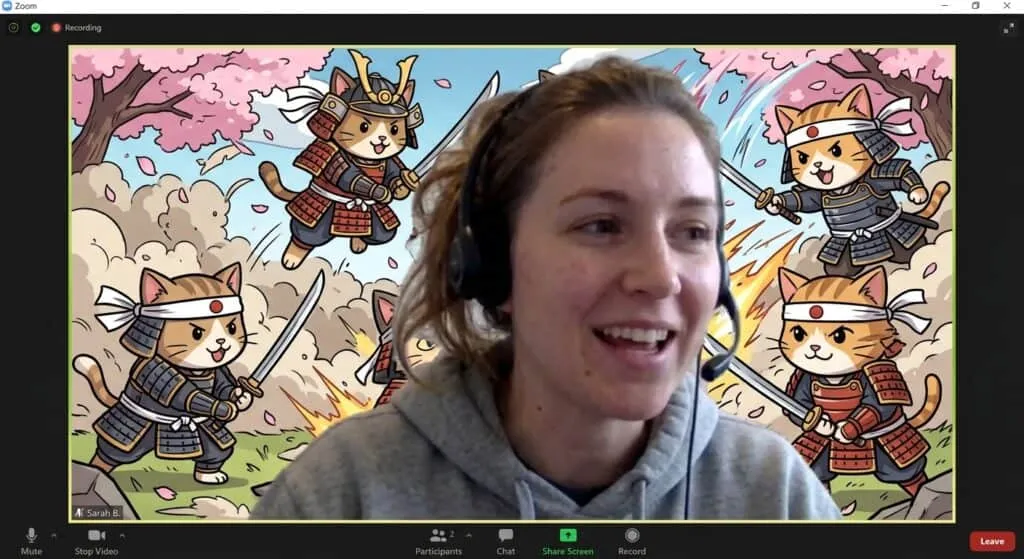
Gallery View Games. Anything using the grid itself. Everyone strikes a pose at the same time, or arranges themselves so the gallery view spells something. Chaotic in the best way and it only works because everyone is in a grid.
If your team is on Teams or Google Meet, most of these still work with minor adjustments. The annotation and reaction ones depend most on the platform.
Download the games list
Want all of these in one place? Download the full list as a PDF and keep it on hand for your next meeting.
How can I measure whether my virtual team-building activity was successful?
When assessing the success of a virtual team-building activity, there are several factors to consider.
One key aspect is the satisfaction of the participants.
Did they enjoy the activity and find it worthwhile?
Additionally, you may want to consider whether team members feel they have strengthened relationships with their colleagues as a result of the activity.
Gauging success can also be done by looking at participation and engagement levels throughout the session.
Finally, asking participants for feedback after the event can be helpful in determining how well the activity was received.
What are virtual activities?
Virtual activities are online activities that can be done remotely, often via video conferencing software such as Zoom, Google Meet, or Skype.
These activities can be used to build relationships, communicate better, and increase morale within a virtual team.
How do I make my 5 minute games fun?
There are a few things you can do to make your virtual work fun:
- Make sure everyone has a chance to be involved and heard
- Add some elements of competition
- Encourage creativity
- Make it interactive and engaging
What are the best games for large virtual meetings?
Games that do not require everyone to speak in turn. Scavenger hunts, bingo, reaction races, and chat-based trivia all scale to a hundred people or more, because participation happens simultaneously rather than one person at a time. Anything that goes around the group individually stops working above about fifteen people.
How long should a virtual meeting game last?
Five minutes for a warm up inside a normal meeting. Ten to fifteen if the game is the point of the session. Past twenty minutes, attention drops off unless the activity is genuinely hands-on.
What games work for a team that has never met in person?
Ones that reveal something small and personal without putting anyone on the spot. Show and Tell, Guess the Home Office, and Two Truths and a Lie all do this well. Avoid anything competitive for a first session, since people who do not know each other yet tend to hold back.
Do virtual meeting games actually work?
They work when they are short, optional in spirit, and not treated as the main event. They fail when they are mandatory, run long, or single people out. The point is to break the pattern of the meeting for a few minutes, not to manufacture enthusiasm.
What is a good 5 minute team building activity for remote workers?
Word Association, One Word Check In, and Would You Rather all run in under five minutes with no preparation and no equipment. If you have 48 hours of notice, the Fun Fact Guessing Game is the strongest of the short options.
5 Minute Games for Virtual Events Conclusion
Virtual meetings and remote work doesn’t have to be boring!
With these fun games, you can easily keep your team engaged and excited during your next meeting.
So try out one (or all!) of these games next time you meet virtually, your team will thank you for it!
Book a Virtual Event With Us
Use the form below, or email us at hello@jellydonutevents.com.
Our events include coffee tasting, lock picking, tea tasting and many other events.
Addendum
¹Event images and animations are free for use in any event that does not involve an entrance fee.

Founder of Jelly Donut Events. Former physical penetration tester and award-winning coffee writer, now hosting live virtual events for remote teams.