Planning Virtual Team Building for Large Groups in 2026
 Tom Fitzgerald
August 12, 2026

Organizing a virtual event for a large group, whether it is 50 or 500 people, presents a unique set of challenges. The goal is to create a shared experience that is both engaging and manageable, but the typical tools often fall short. Standard video calls can quickly become passive lectures, and breakout rooms frequently create more awkward silence than genuine connection. This guide provides a practical checklist for planning large-scale remote events that successfully engage hundreds of participants on a single call.
The solution I have found is to move away from screen-only interactions and toward shared physical experiences. By putting a tactile tool in every person’s hands—or, for local events, incorporating interactive equipment from DFW Party Rental—you create a focused, simultaneous activity that bypasses the common pitfalls of virtual fatigue.
In this guide
Scaling remote engagement for large groups
I have found that the biggest hurdle for large groups is the transition from passive listening to active participation. Engaging 200 people is fundamentally different from engaging 20 people because the individual feels less seen and less accountable. When one person speaks in a massive group, the other 199 become an audience. This dynamic is what we need to avoid.
We solve this by using tactile tools that every person holds in their hands at the same time. This approach anchors the event in the physical world and gives everyone a shared, tangible objective. The goal is to make the screen a secondary tool for instruction, not the sole focus of the experience.
Moving beyond digital fatigue
After years of remote work, many employees are tired of digital-only engagement. Polls, chat waterfalls, and virtual whiteboards can feel like extensions of a workday, requiring the same type of screen-based focus. I prefer using physical objects to ground the experience in the real world. For my workshops, this object is a transparent padlock.
When everyone is working on the same physical puzzle, the dynamic shifts. The video call becomes a window for guidance, not a barrier to connection. Participants are looking down at their hands, not just staring at a grid of faces. This simple change in focus is remarkably effective at restoring energy and attention.
The role of centralized instruction
I lead every session as a physical security professional, providing a single, consistent narrative for the whole group. This centralized model is key for large-scale events. Keeping everyone on one call prevents the fragmentation and loss of momentum that often happens in unmoderated breakout rooms. There is no risk of one group finishing early while another struggles.
To ensure everyone can see the necessary details, I use a multi-camera studio setup. This allows me to show close-up views of the lock’s internal mechanisms to hundreds or even thousands of people at once. Everyone gets the same high-quality instruction, regardless of the group size.
Checklist for evaluating large group virtual activities
Every large group event should be measured by its ability to maintain a high participation rate. When choosing an activity, we use a strict checklist to ensure no attendee is left behind. The activity must be accessible to everyone, start with an easy win to build confidence, and ideally, provide a lasting takeaway.
I recommend looking for activities that include permanent, high-quality tools that employees can keep. This not only provides better value but also serves as a lasting reminder of the team’s shared accomplishment.
Hardware and kit requirements
When evaluating a provider, the first question should be about the kits. Does the provider ship a complete kit, or are attendees expected to source their own supplies? For a large group, self-sourcing is a logistical non-starter.
Ensure the kit includes everything needed for the activity. In our case, this means a transparent padlock so participants can see the internal mechanisms, along with a full set of picks and tension bars. Verify that the tools are high-quality and reusable, as this reflects directly on your company’s brand and the value you place on your team’s experience.
Platform and bandwidth considerations
Logistical details matter. Confirm that the event can run on your company’s preferred platform, whether it is Microsoft Teams, Zoom, or another service. Ask if the host uses a professional studio setup with a reliable, hard-wired internet connection and multiple camera angles for clear instruction.
Finally, check the event structure. Our workshops are available in 30, 60, or 90-minute formats, and we always include an optional 30-minute buffer after the session for questions, further practice, and informal conversation. This buffer allows engaged participants to keep learning without forcing the entire group to stay longer than scheduled.
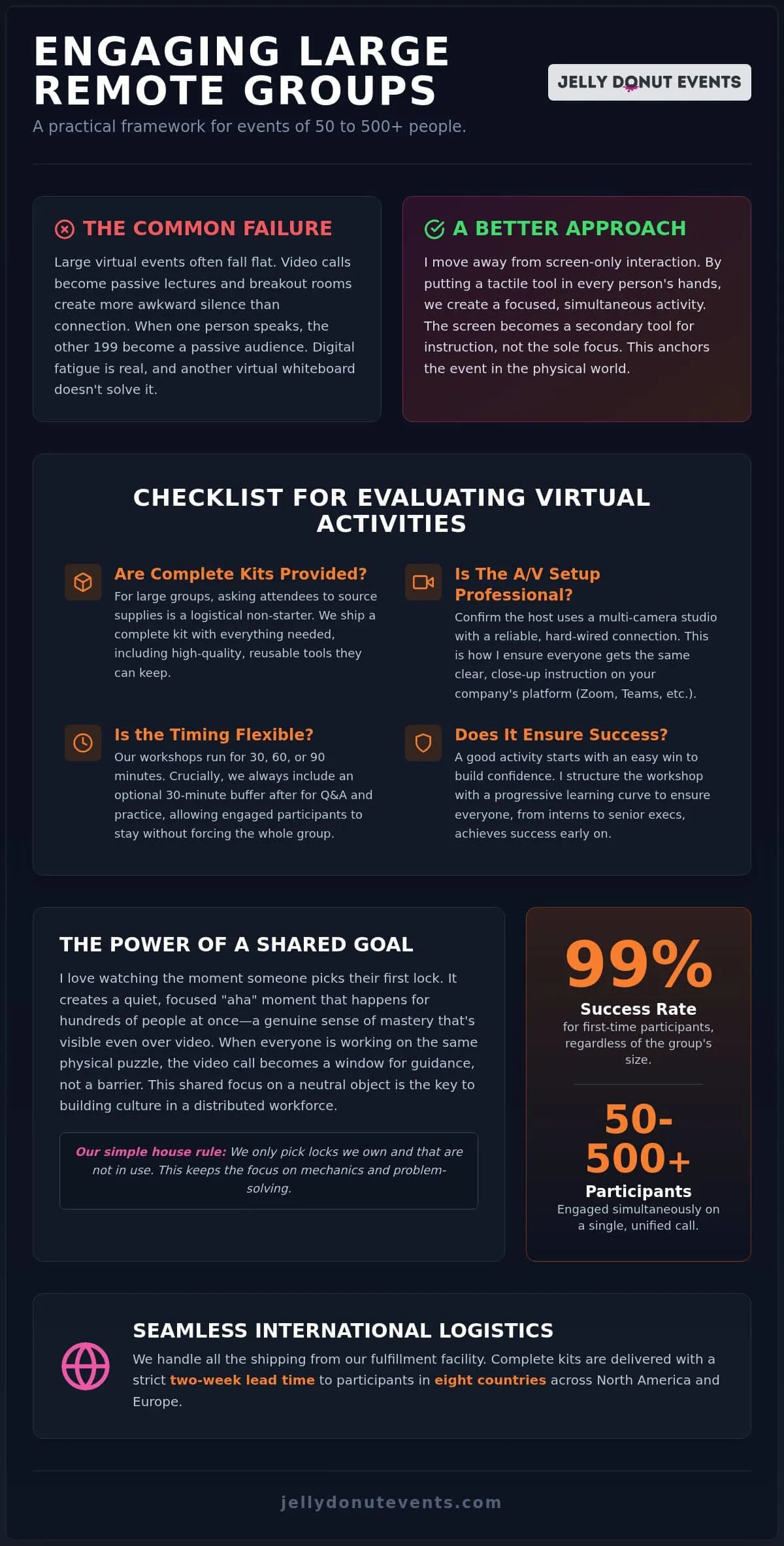
Why hands-on learning works for big teams
To keep the focus on mechanics and problem-solving, we have a simple house rule: we only pick locks we own and that are not in use. Using a transparent padlock allows the entire group to learn the theory of physical security through direct, hands-on observation.
Shared focus on physical objects
When 25 people are all trying to manipulate a series of pins inside a lock, they are having a truly synchronized experience. This synchronization is the key to building culture in a distributed workforce. It replaces the need for forced “getting to know you” icebreakers that many employees find uncomfortable.
The shared physical object becomes the topic of conversation. It is a neutral, engaging subject that puts everyone on a level playing field, whether they are an intern or a senior executive.
Progressive difficulty for diverse groups
To ensure a high success rate, I structure the workshop with a progressive learning curve. I start with a simple first lock to ensure everyone achieves success and builds a foundation of confidence. This approach is one reason we maintain a 99% success rate for first-time participants, regardless of the group size.
We then move to more complex configurations to keep everyone, including participants from engineering and product teams, engaged and challenged. The structure is designed to be inclusive for all skill levels, from absolute beginners to experienced puzzle solvers.
Virtual activity ideas that skip breakout rooms
The best virtual activities for large groups are those that can be done simultaneously by everyone on a single call. I avoid activities that require people to “perform” or speak in front of a large crowd, as this can be stressful and lead to disengagement. Instead, I recommend quiet, focused activities that allow for a high level of individual participation within a group setting.
- Lockpicking Workshops: My primary recommendation for teams that enjoy puzzles, problem-solving, and critical thinking. It is a hands-on skill that is both fascinating and meditative.
- Coffee and Latte Tastings: A sensory experience that works well for morning kickoffs or mid-day breaks. It is educational, accessible, and encourages conversation around shared flavors.
- Tea Workshops: These sessions provide a calming yet educational environment, guiding teams through the nuances of different tea varieties and brewing methods.
Guided lockpicking workshops
This is our flagship event and a powerful alternative to virtual escape rooms. We ship complete kits containing picks, tension bars, and transparent padlocks directly to each participant. I lead the instruction live, using my background as a physical security professional to share stories and context that bring the mechanics to life. It is a quiet, focused activity that generates a surprising amount of energy and camaraderie on a single call.
Sensory experiences like coffee tasting
A virtual coffee tasting is ideal for groups that want to learn a new skill without a high barrier to entry. We ship curated kits with various coffee profiles so the whole team can explore and compare flavors together. These sessions are led by professional facilitators who guide the sensory experience, teach tasting techniques, and share knowledge about coffee sourcing and production.
Managing shipping and logistics across borders
Shipping physical kits to a large, international team is often the biggest perceived obstacle for event planners. We handle the entire process from our in-house fulfillment facility to ensure kits arrive on time and in perfect condition. Our process is built to be simple for the client; all we need is a guest list.
Our lead time is a firm two weeks before the event date. This allows us to navigate any local delivery delays without stress. We currently ship to USA, Canada, UK, Australia, New Zealand and most European addresses. Every kit is tracked, and we provide the client with a complete status update before the event begins.
Lead times and international customs
We recommend booking your event with our two-week lead time in mind, which allows us to prepare the kits and manage the shipping timeline. For international shipments, we manage all customs requirements on our end to ensure a smooth delivery process for your team members. Our kits are designed for this process; we do not use third-party snack vendors, so every kit contains only the high-quality, durable tools needed for the workshop.
In-house fulfillment versus third-party vendors
We maintain total control over the quality of our kits by packing and shipping them from our own facility. This allows us to handle groups as large as 2,000 without relying on outside fulfillment partners who may not share our standards. If a kit is lost or damaged in transit, we handle the replacement process directly as part of our professional service.
Frequently Asked Questions
**What is included in the price of the virtual lockpicking class?
** The price is per person and includes the full kit (transparent practice locks, picks, case), live instruction from an expert, and shipping to any of the eight countries we service.
**How far in advance do we need to ship the kits for large groups?
** Our required lead time for booking and shipping is two weeks before your event date. This ensures all kits, including international ones, arrive on time.
**What is the maximum group size for a single virtual session?
** We can host up to 2,000 participants in a single session.
**How long are the workshops?
** We offer 30, 60, and 90-minute formats to fit your schedule. We also include an optional 30-minute Q&A session afterward for those who wish to stay and practice.
**Can we use Microsoft Teams instead of Zoom for our event?
** Yes, we can host on most major platforms, including Microsoft Teams, Zoom, and Google Meet.
**Do participants get to keep the lockpicking kits after the workshop?
** Yes, the high-quality kits are for participants to keep.
**What countries do you ship the team building kits to?
** We ship to the USA, Canada, the United Kingdom, Australia, New Zealand and most of Europe.
**Is there a minimum group size for your virtual events?
** Our minimum group size is 8 participants.
**What is the house rule regarding the locks we pick during the session?
** We only pick locks we own and that are not in use.

Founder of Jelly Donut Events. Former physical penetration tester and award-winning coffee writer, now hosting live virtual events for remote teams.